Musical intelligence App
Build your musicianship, step by step

This mobile version highlights key screens — view the full case study on desktop
Having worked closely with piano students across various levels, I've observed a common assumption among learners: that music theory is boring, impractical, and not worth the effort.
However, I firmly believe that theory is an essential foundation for meaningful progress — it's the difference between merely mimicking and truly understanding music.
While many learners turn to digital platforms to study music, their experiences vary widely depending on the approach and structure of the apps they use.
In this Empathise stage of the design process, my goal was to understand how users currently perceive and interact with existing music learning applications.
To explore this, I conducted both qualitative and quantitative research, including user interviews and surveys.
Additionally, I performed a competitive analysis of leading music education platforms.
Stage 1: Explore
understand users, their context, and their true needs
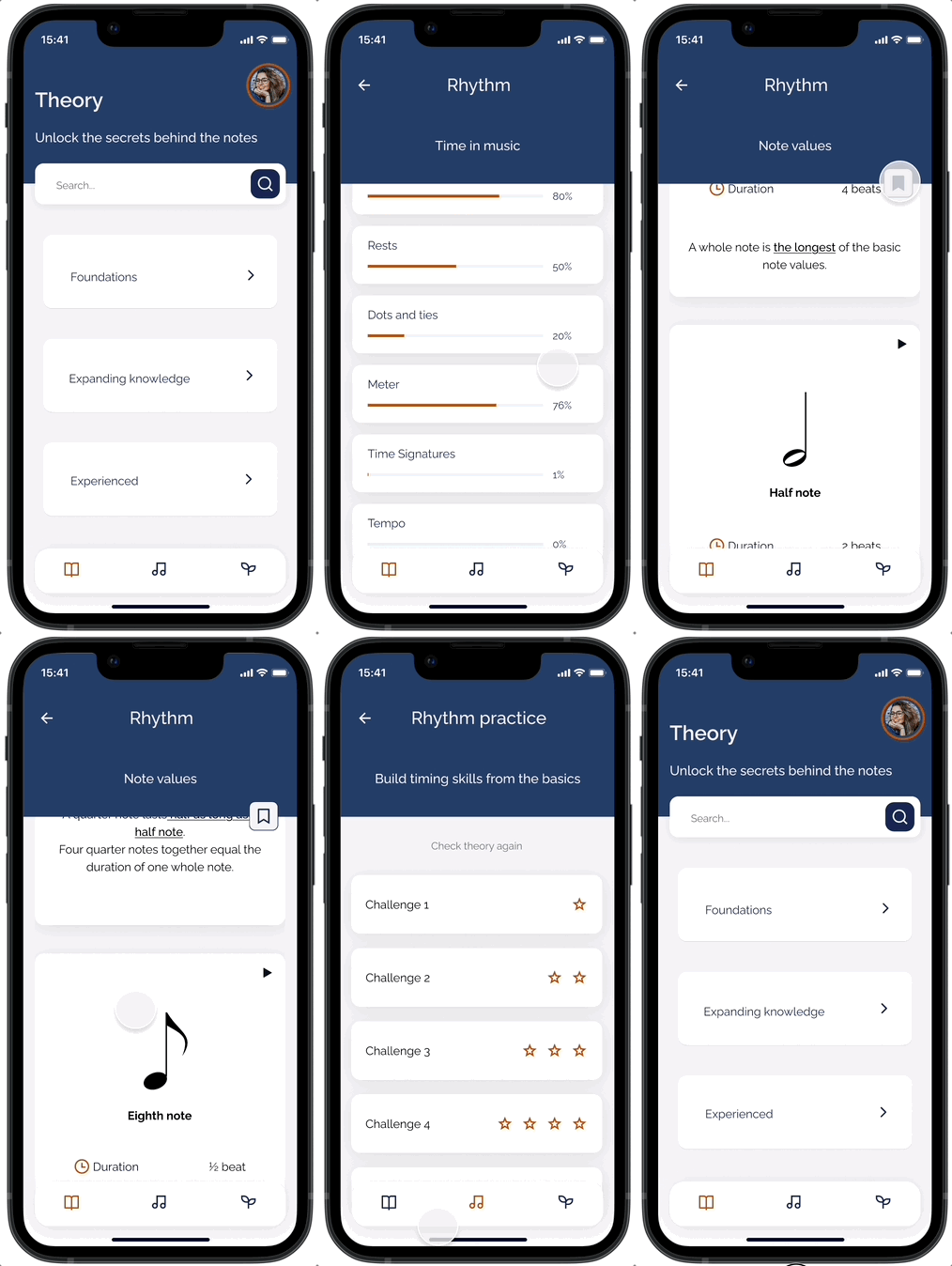
Theory Section
Why Musical intelligence?
Musical Intelligence is designed as a comprehensive learning platform for anyone eager to explore, understand and put music theory into practice.
While many music apps prioritize gamification and entertainment, Musical Intelligence is built on clarity, depth, and structured learning — transforming your device into a comprehensive pocket guide for music theory and musicianship.
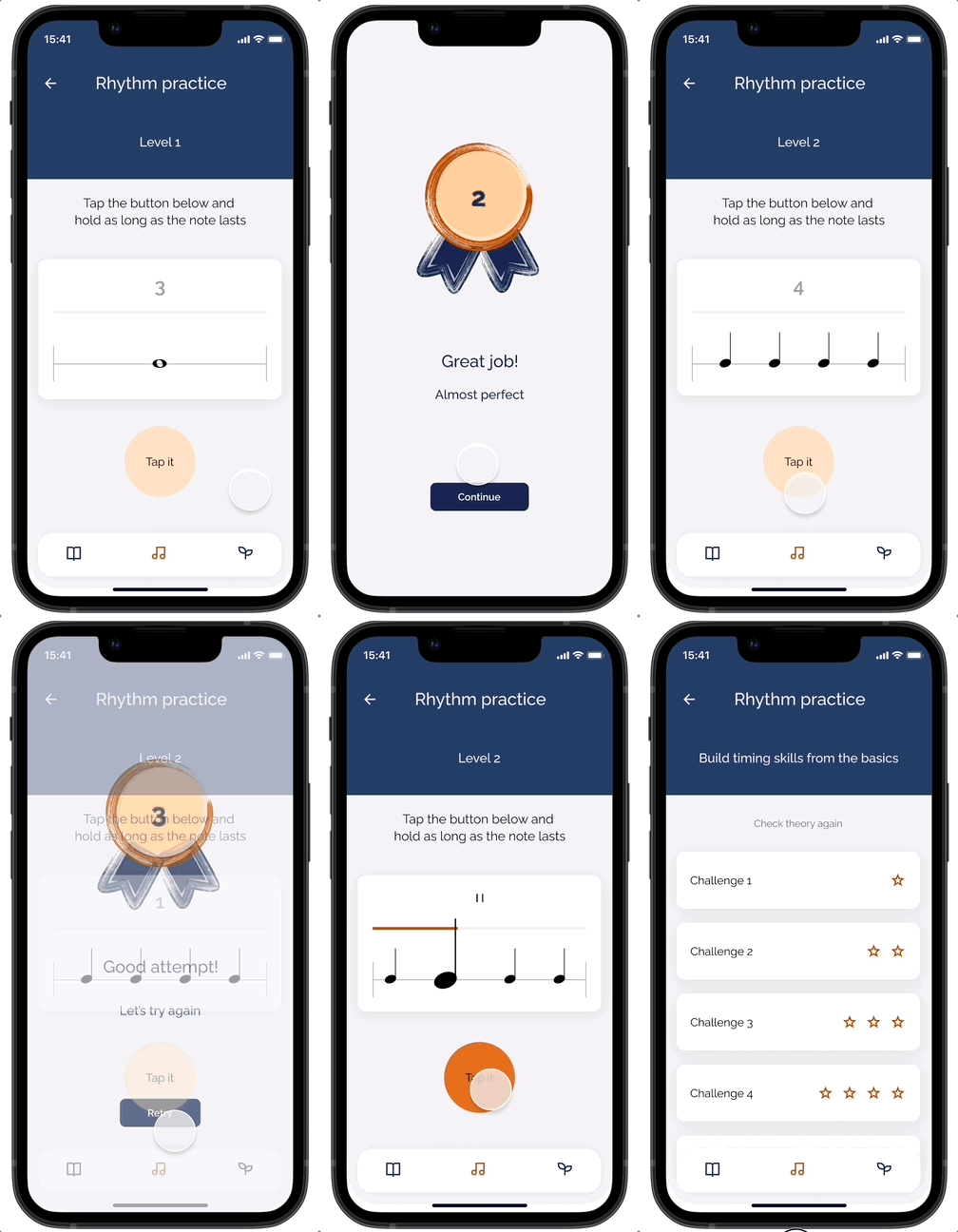
Practice Section
Goal
The goal is to build musical skills through a well-structured app that blends music theory with practical application — rather than simply offering another game.
Musical Intelligence is built for lasting learning — helping users advance their musicianship, support their studies, and gain practical confidence.
Quantitative Research
As a music practitioner with direct teaching experience,
I already had a clear understanding of the needs and frustrations of my own students.
However, to avoid a narrow perspective, I decided to conduct a survey targeting individuals outside my regular teaching practice — people who may use different learning methods, tools, and apps.
I wanted to validate my assumptions and compare them with the experiences of self-taught learners, users of music apps, and musicians at various levels.
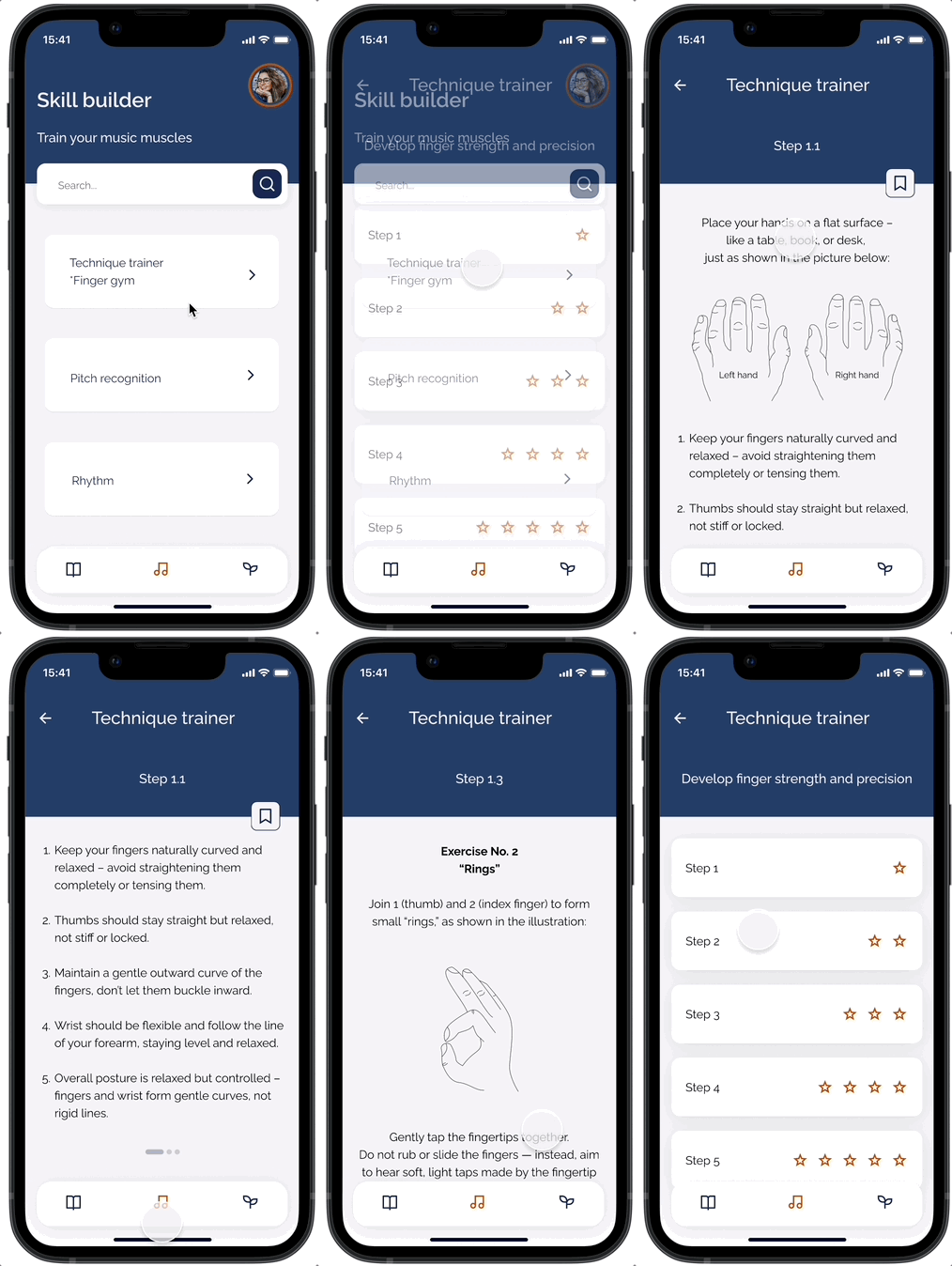
Skill Builder.
Technique Trainer “Finger Gym”
Method used:
I designed a closed-ended questionnaire to collect quantitative data from 15 participants.
Questions focused on musical goals, frustrations with current tools, usage frequency, and feature preferences.
The project is still in progress — I’m currently expanding the app’s content and developing additional sections
Conclusion and key insights:
Qualitative Research
App usage and frustrations
*Do you feel that apps help you understand music, or just play it? Why?
*Is there anything missing in your music learning experience that you wish you had?
Learning preferences
*How do you prefer to learn music — visually, by ear, hands-on practice, theory first?
*Do you prefer structured lessons or more open-ended exploration? Why?
The survey confirmed many of my initial assumptions, but also revealed valuable new perspectives:
*86% of participants want to understand how music works — not just memorize or repeat.
*Over half find current apps too gamified or shallow, lacking depth and real guidance.
*A strong need emerged for structured learning, clear theory-practice connections, and explanatory feedback.
*While theory is valued by 80%, it’s often perceived as intimidating without the right approach.
To uncover deeper motivations, frustrations, and preferences in learning music theory and using music education apps, I conducted interviews with 7 music learners:
3 teenagers and 4 adults.
The interviews included open-ended questions covering 4 key categories:
Conclusion and key insights:
Apps feel too gamified, childish
Music learning experience
*What challenges have you faced in learning music theory or applying it?
*Have you used any apps or online platforms for learning music?
*What was your experience like?
Empathy Map
Teens prefer visual, interactive tools
Theory feels abstract without context
Adults need structure and clarity
Competitive Analysis
A dedicated music student seeking a structured, in-depth resource to support formal studies.
Confidence grows with applicable theory

A self-taught hobbyist exploring music at their own pace and looking for clarity without formal training.
Apps feel too gamified, childish
Students want to understand the “Why”
While many of these apps prioritize gamification and entertainment-driven experiences, I discovered a recurring pattern:
users who are serious about building a solid theoretical foundation often feel frustrated by the lack of conceptual depth and clear progression.
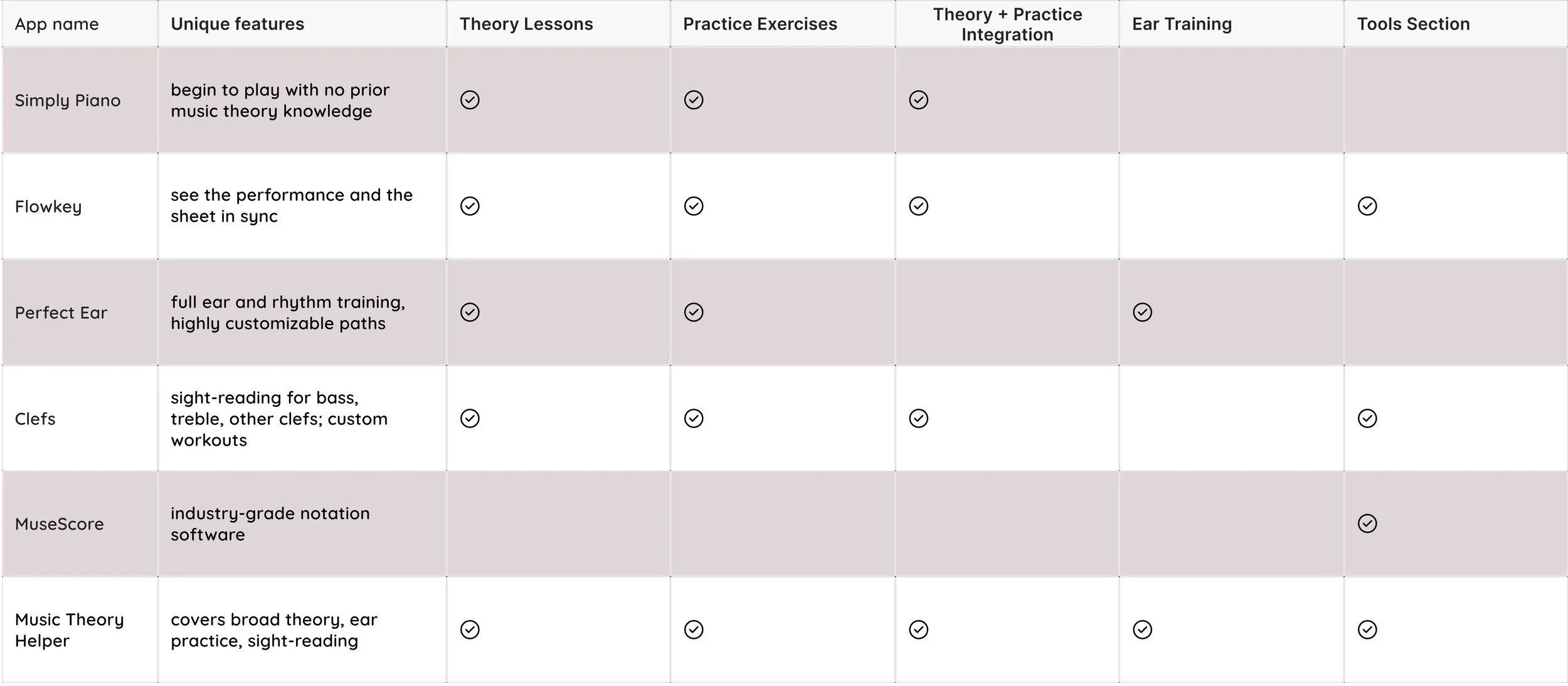
In this Define stage of the design process, I translated the research insights gathered during the Empathise phase into clear, actionable problem definitions.
My goal was to better understand the motivations, challenges, and goals of different types of learners engaging with music theory apps — and to define how Musical Intelligence could meet their needs more effectively.
Stage 2: Focus
narrow down insights to clearly define the real problem
User Personas
An adult learner returning to music after a long break, motivated but lacking a clear learning path.
As part of this process, I created 3 distinct user personas, each representing a key audience segment:

To better understand user behavior, I mapped out the persona’s journey from first motivation to regular practice, highlighting moments where the user experience could be enhanced.

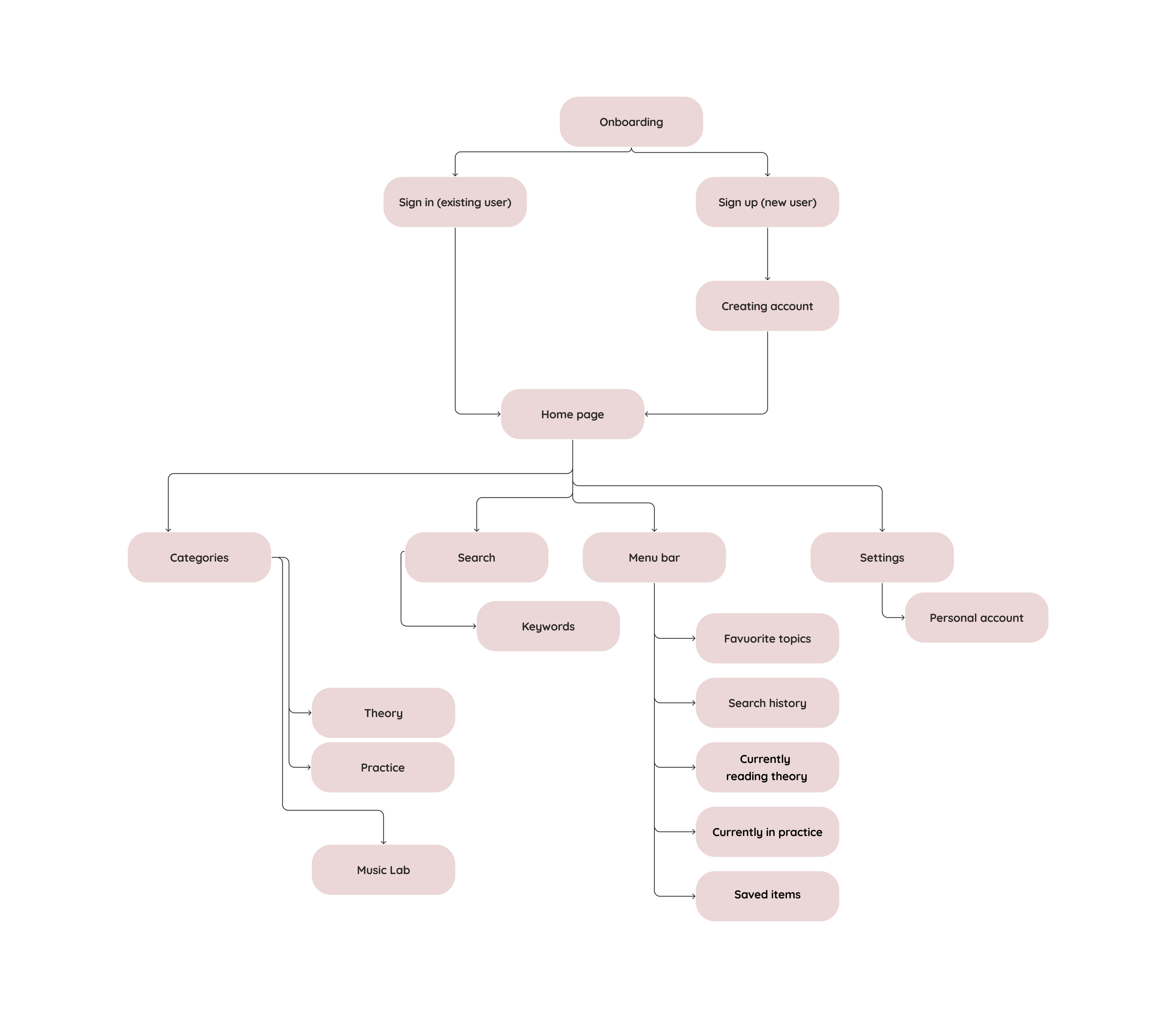
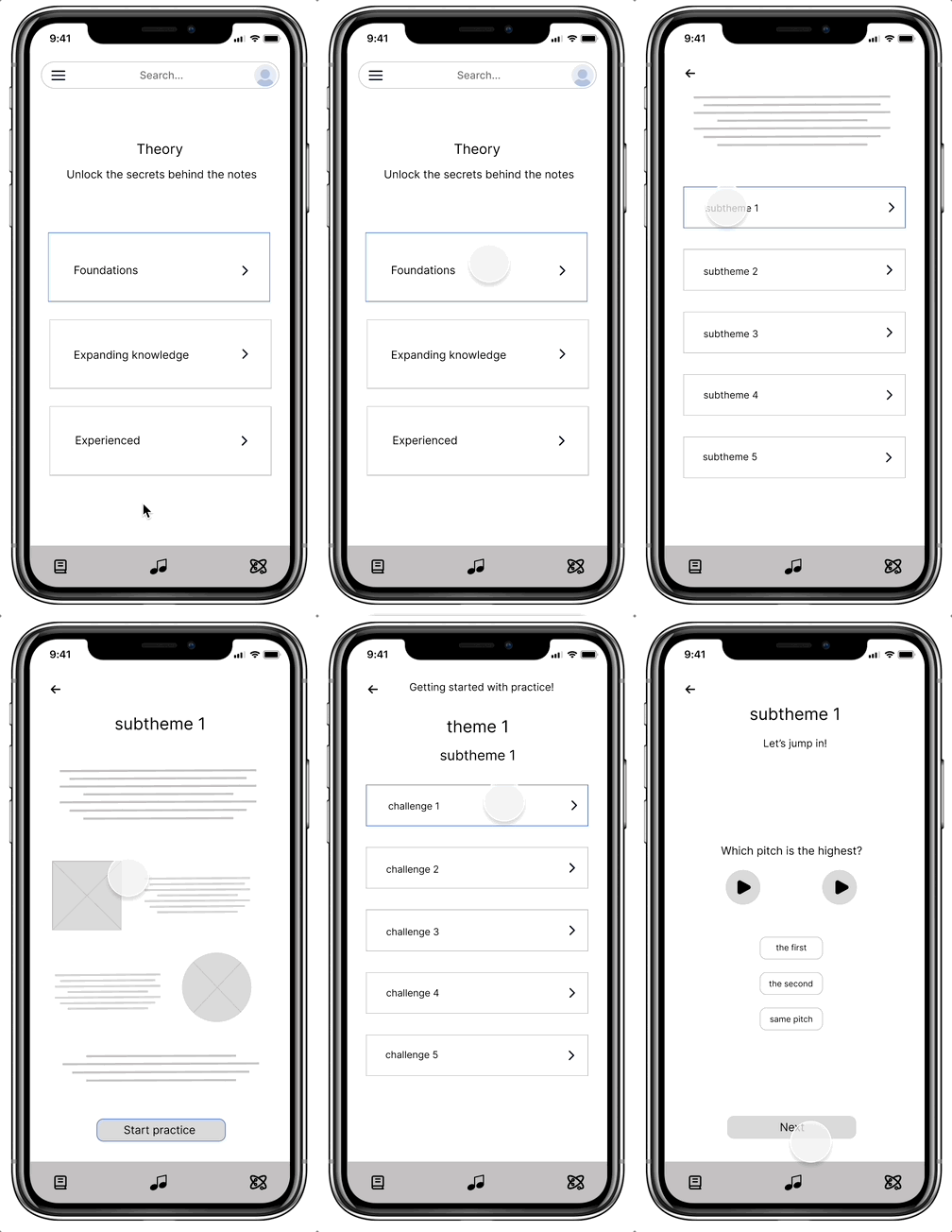
I created a user flow to illustrate how the user would navigate through the application and interact with key features.
I built an information architecture to provide a clear, accessible structure that supports the user flow and learning goals.


Stage 4: Create
bringing ideas to life
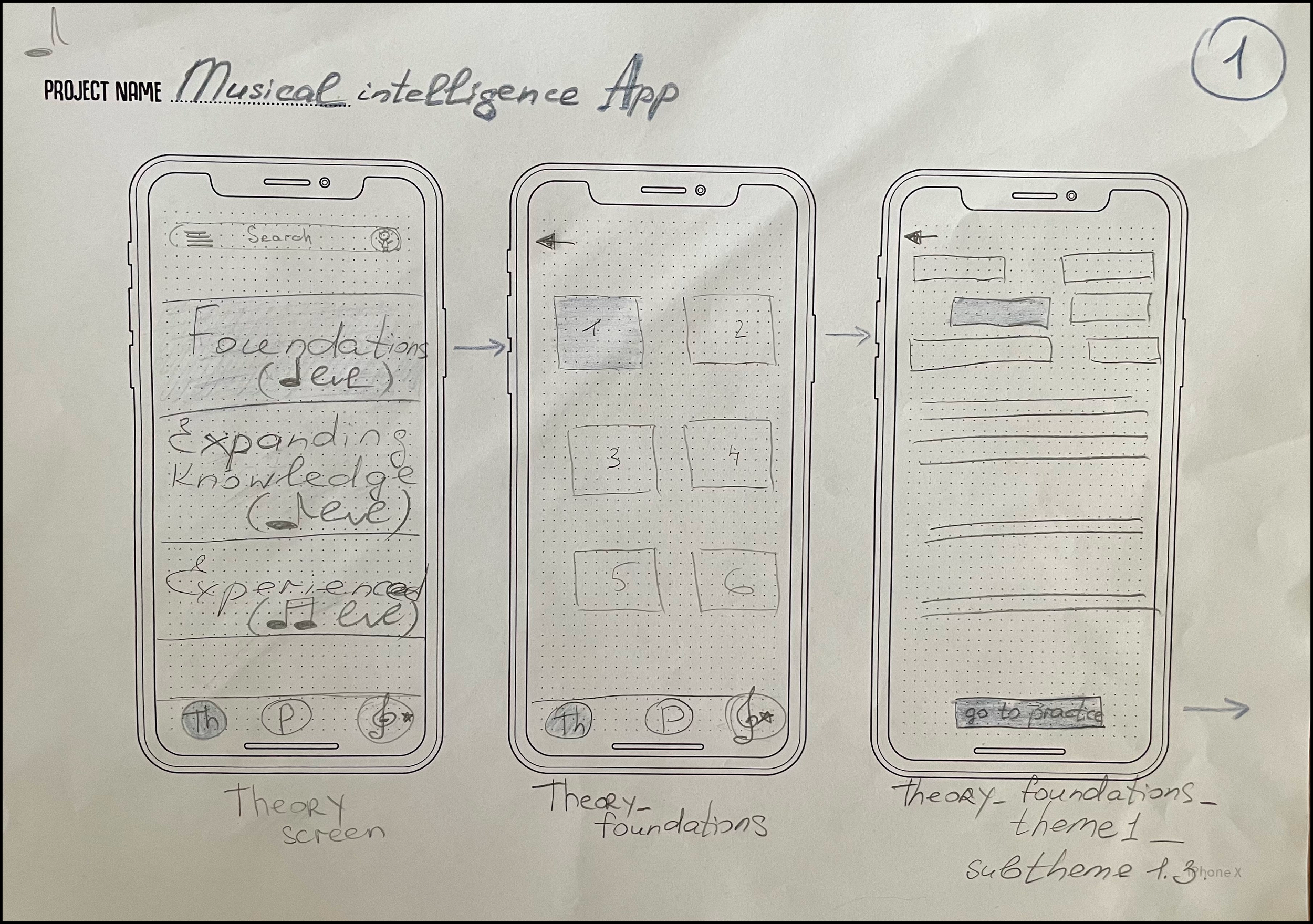
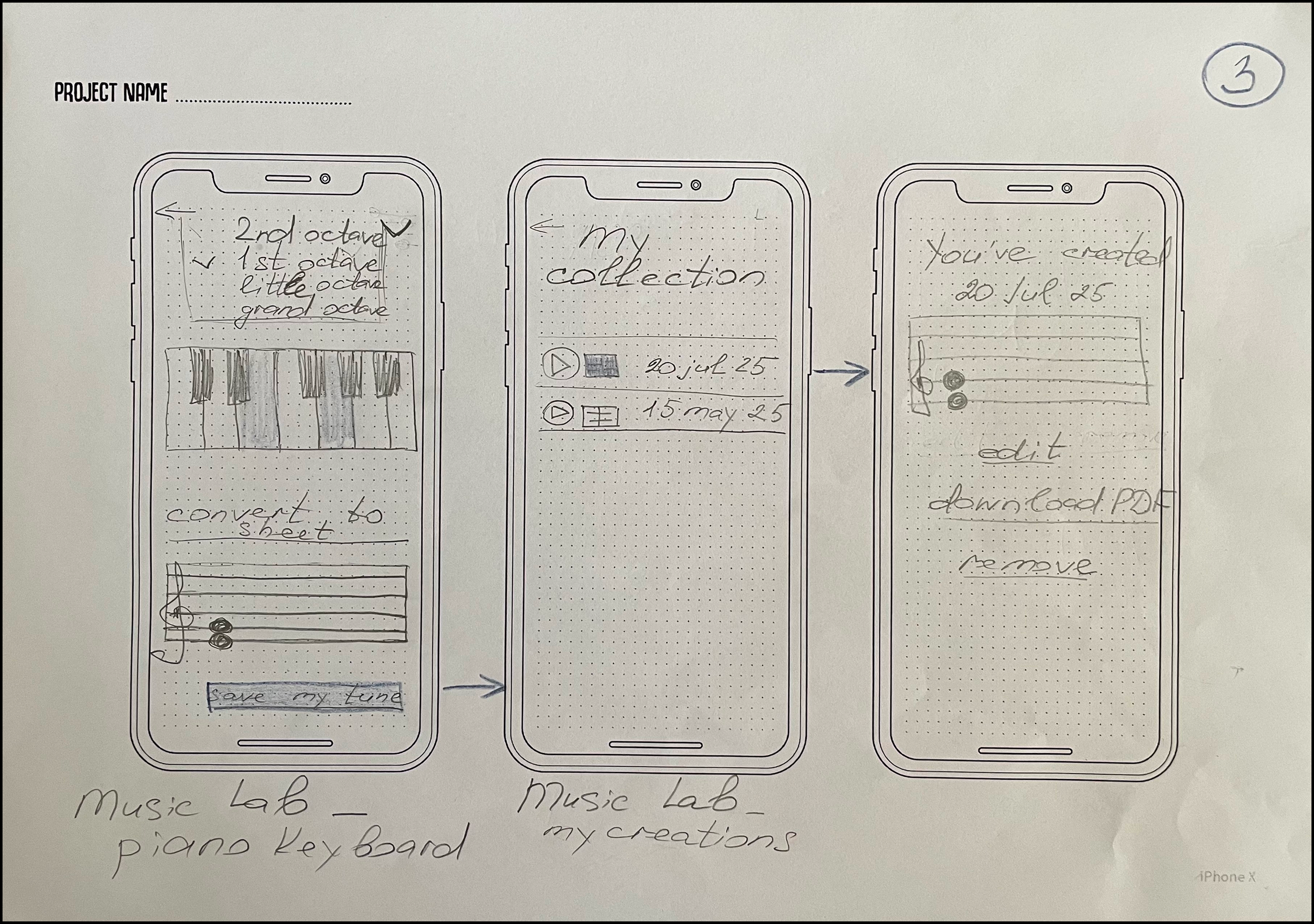
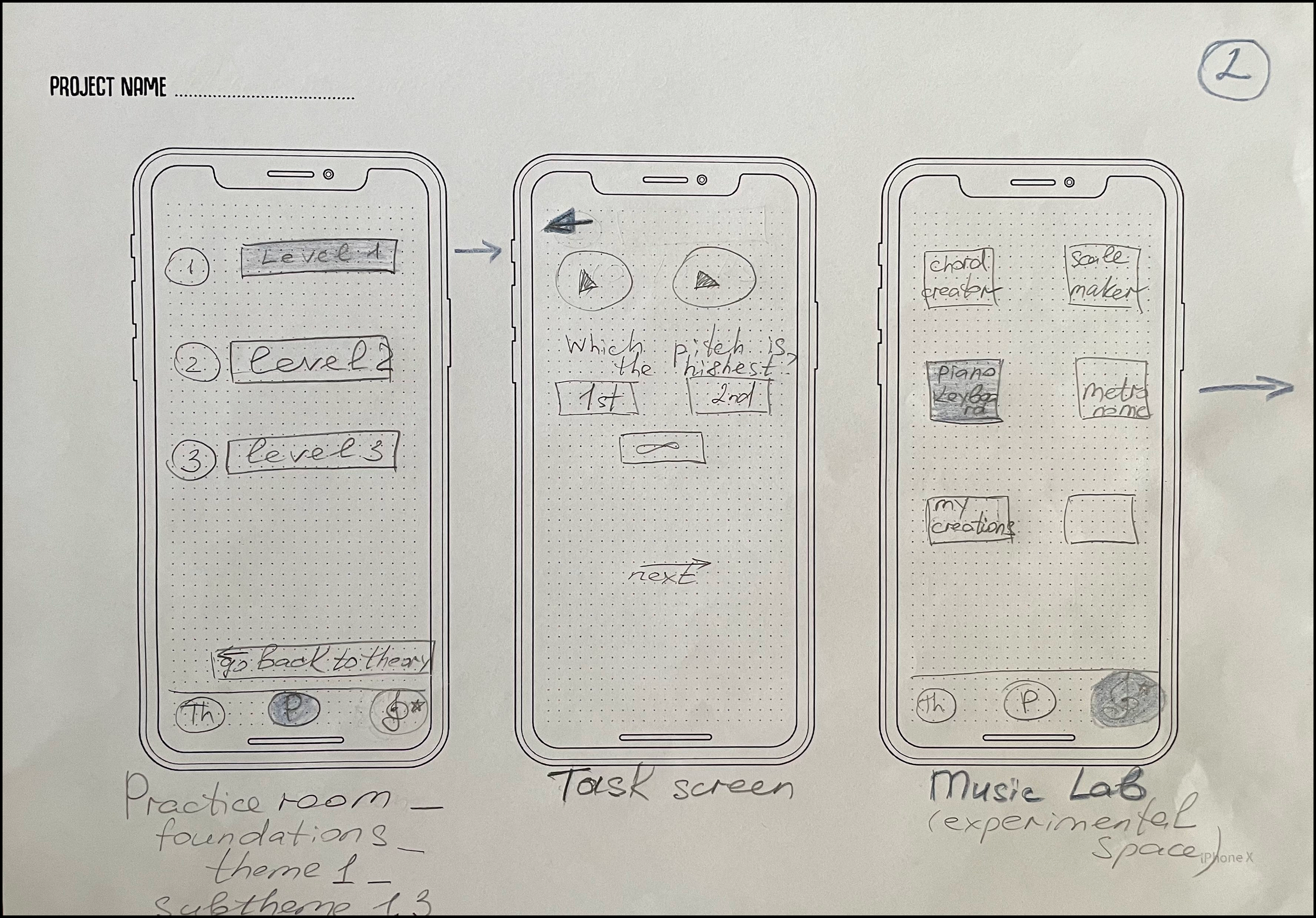
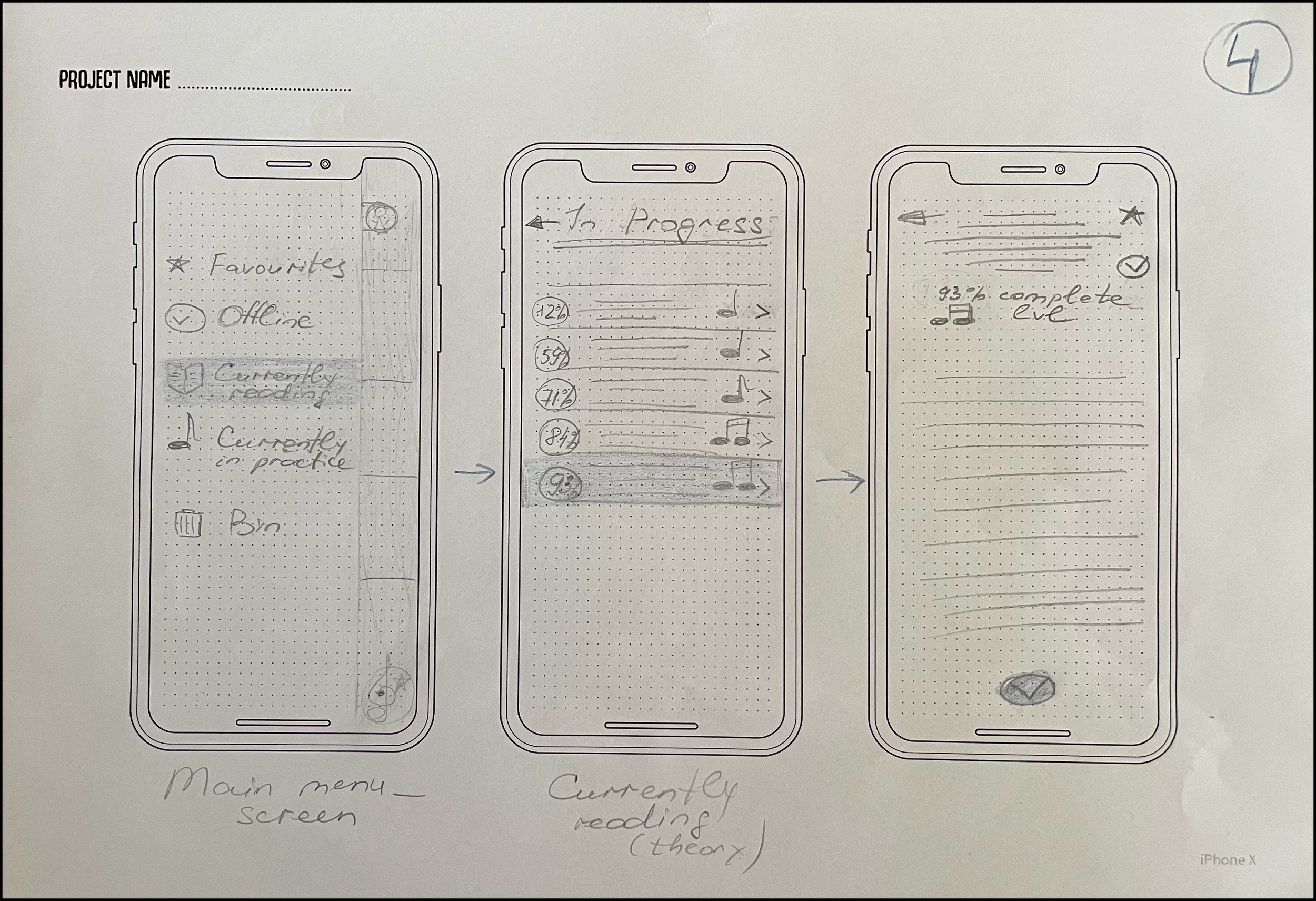
Paper Wireframes
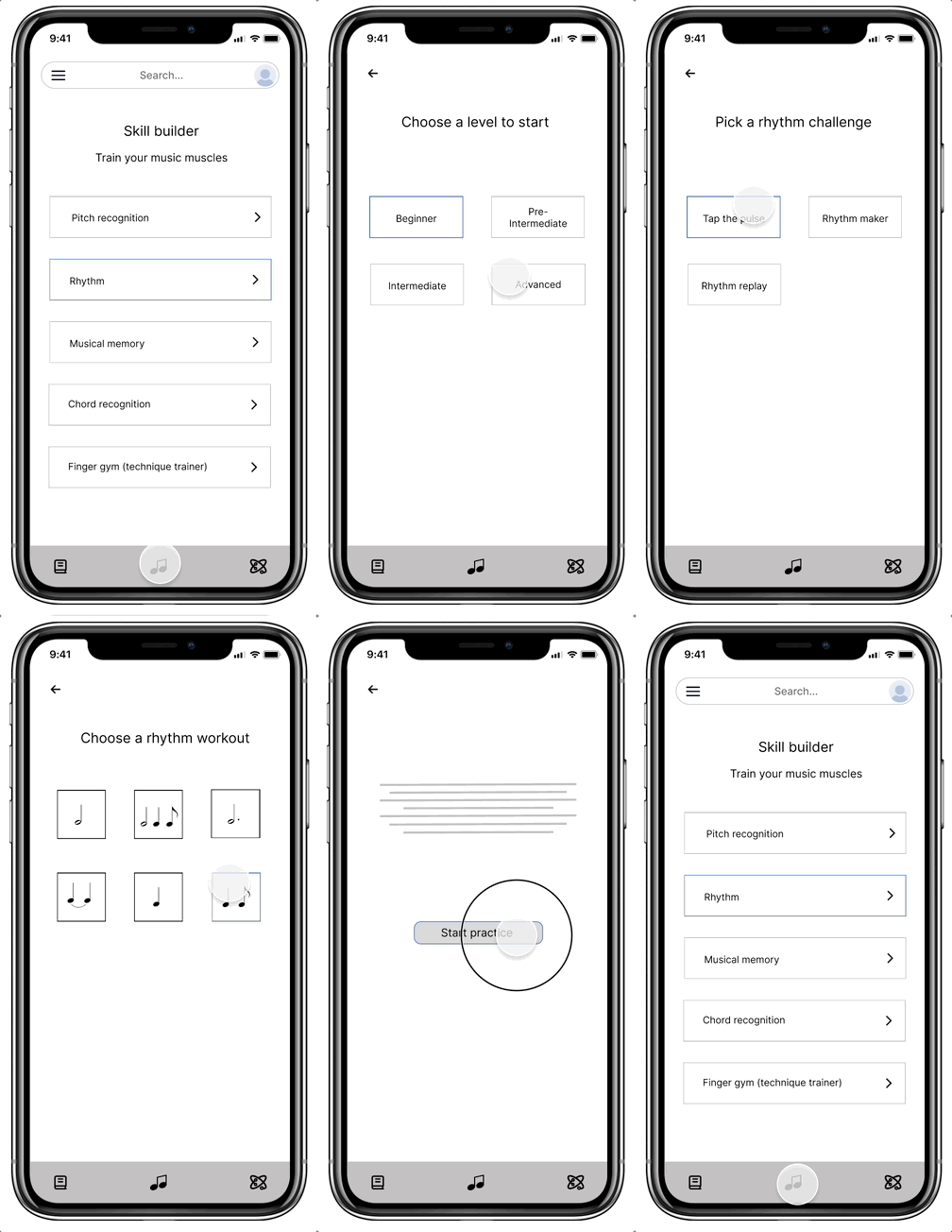
I drew paper wireframes to visualize user flows and iterate rapidly before moving into digital wireframing.
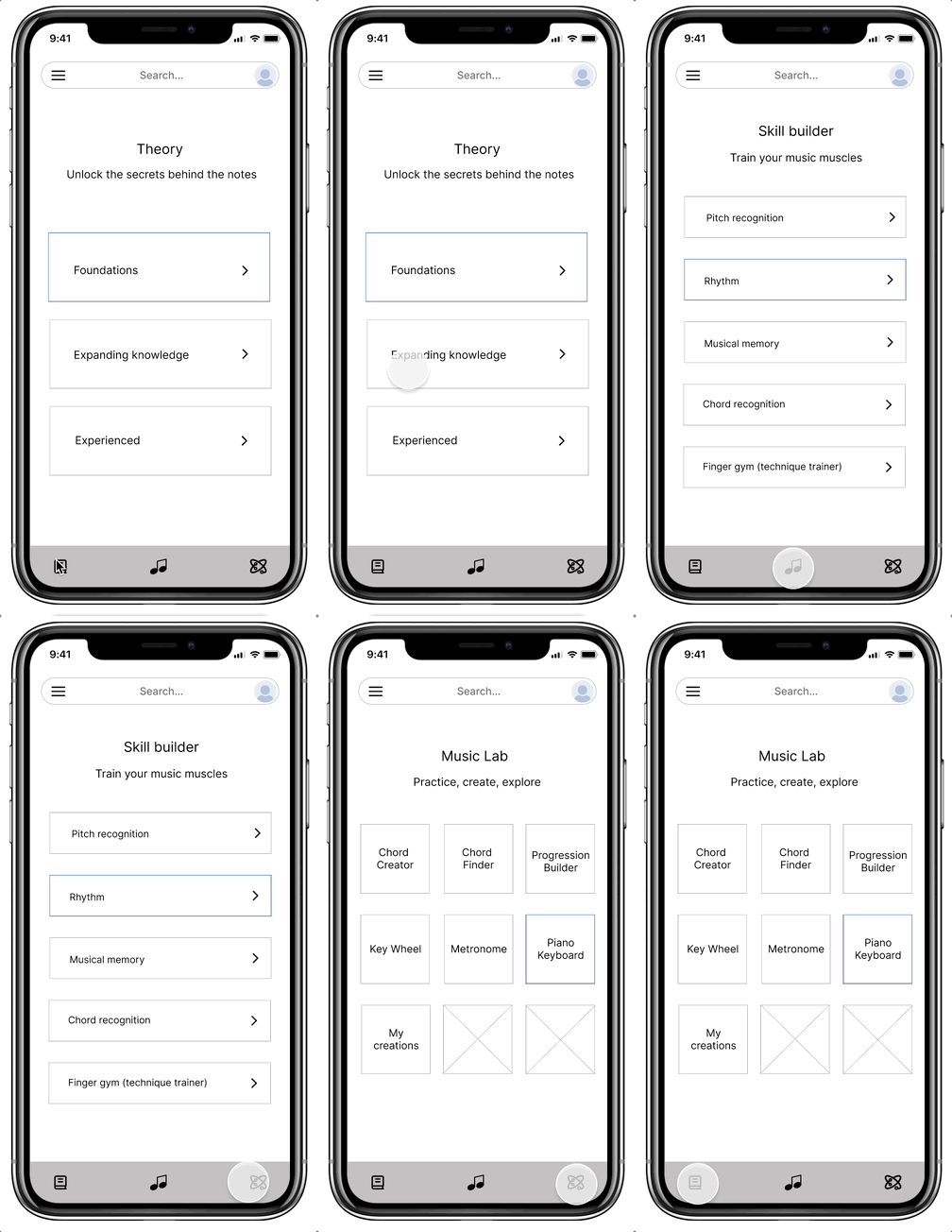
Low-fidelity
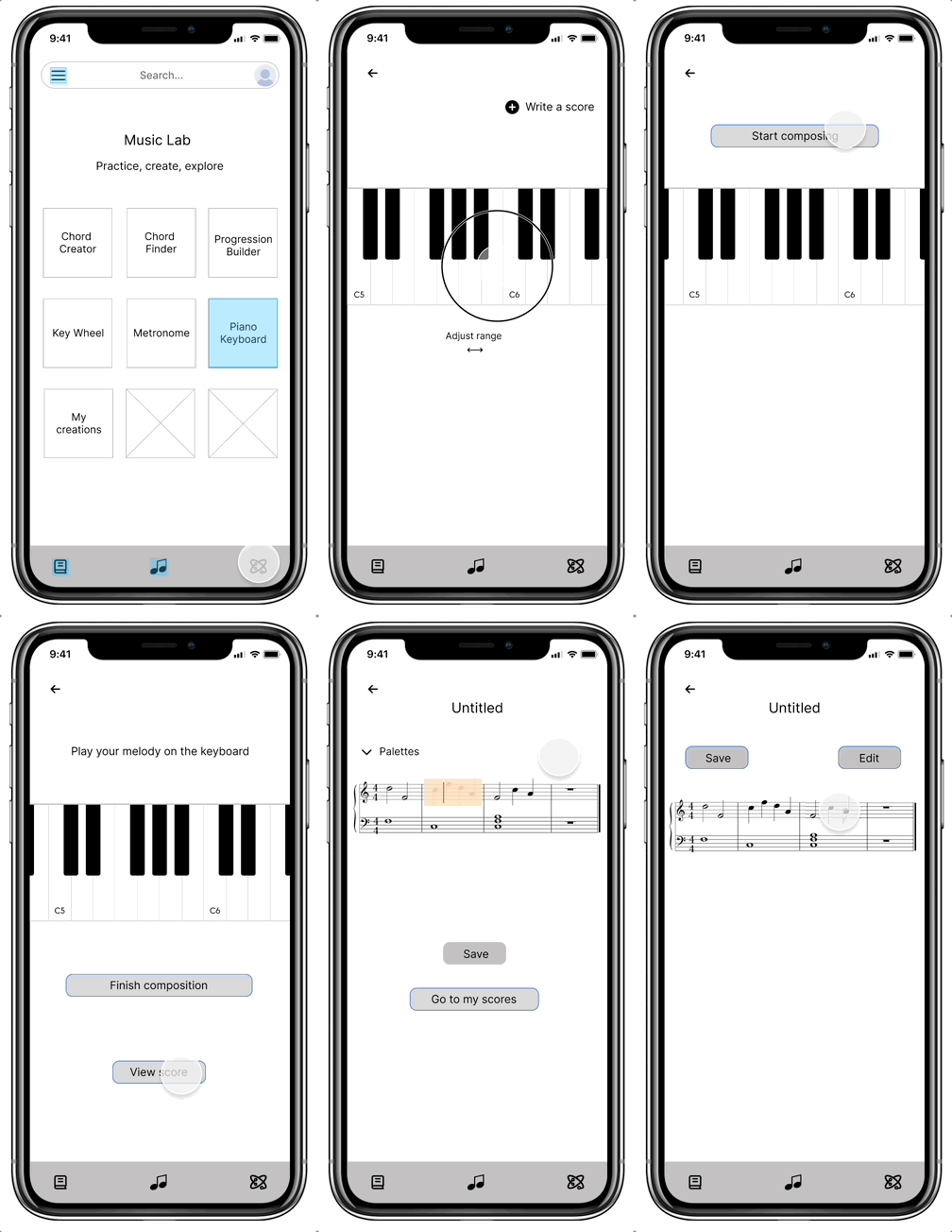
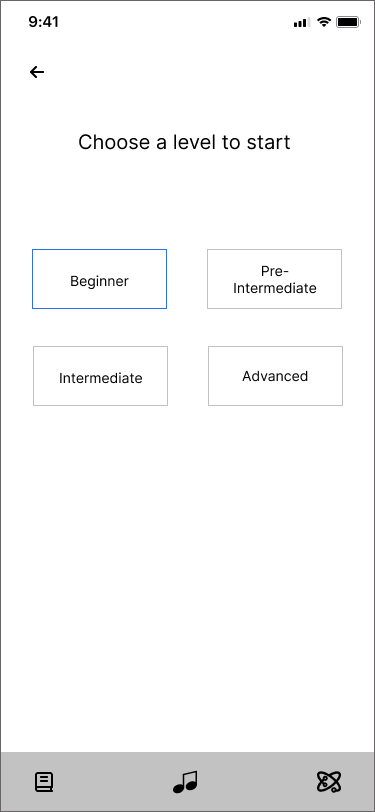
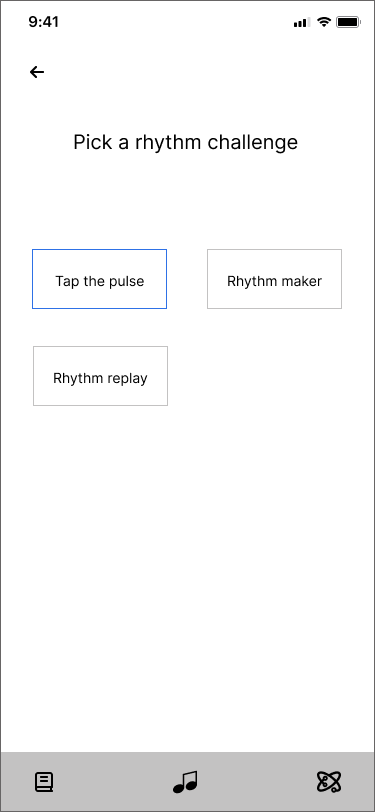
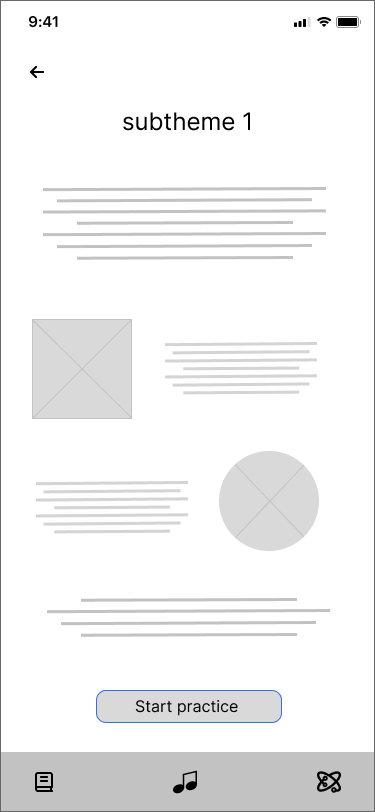
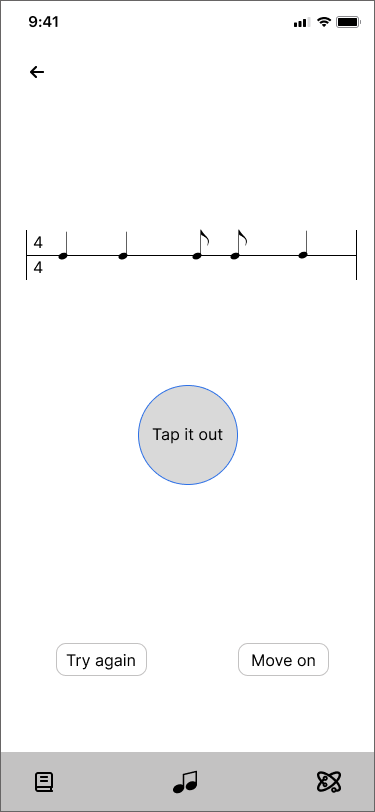
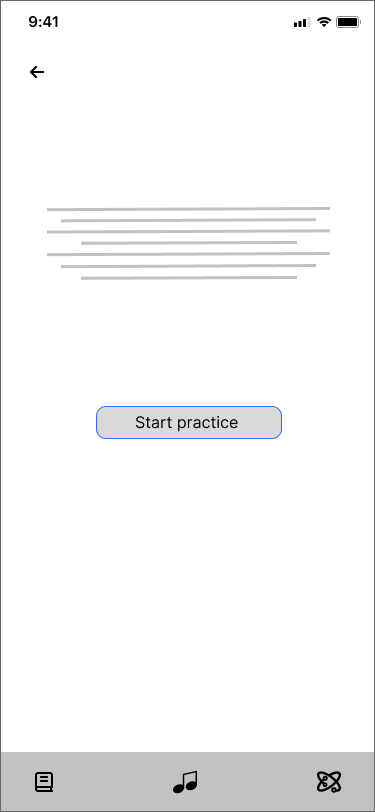
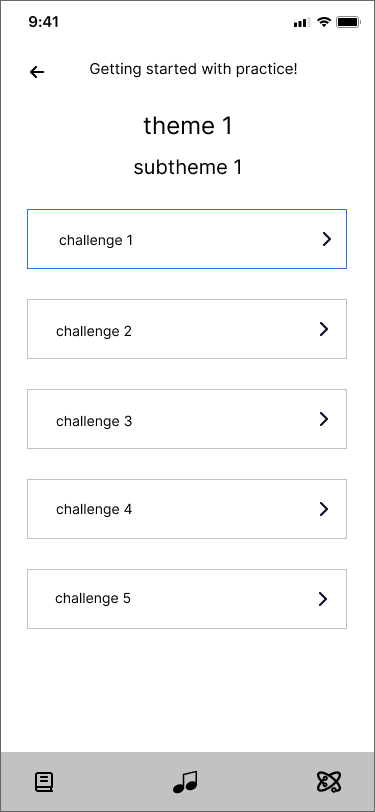
Lo-fi wireframes helped me translate initial sketches into digital form and refine the overall structure of the app, which is represented by three main parts:
Theory, Skill Builder, and Music Lab (focused on creativity).


Theory Section

Style Guide

Color palette


Text field
High-fidelity
Skill Builder Section

Music Lab

Musical Intelligence’s
logo concept
Buttons

Typography


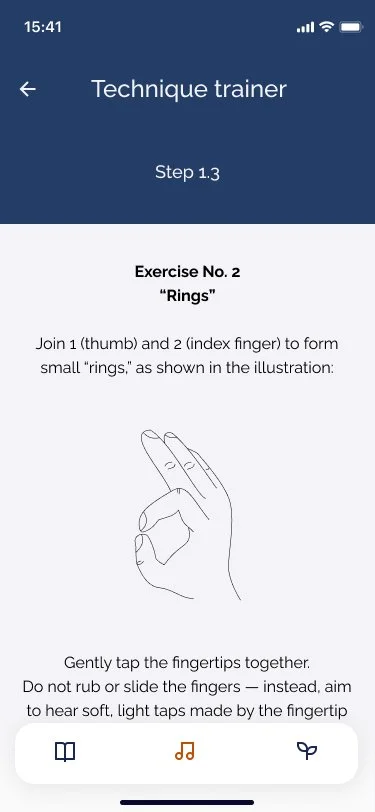
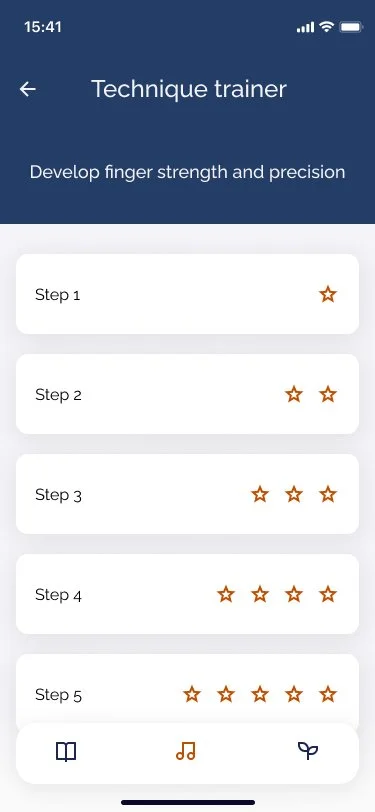
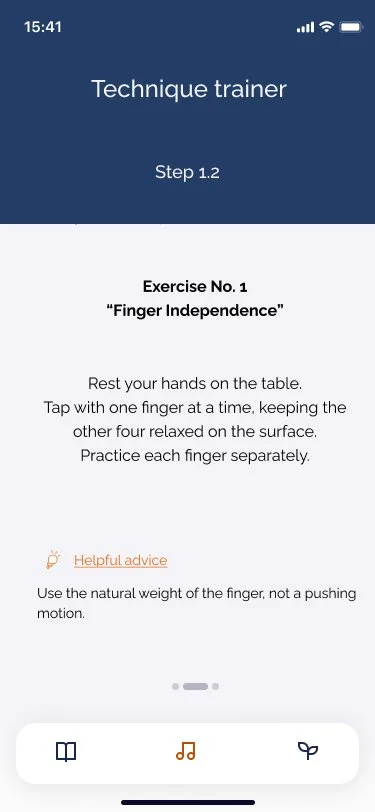
The Technique Developer subtopic is structured into progressive levels of difficulty, starting with foundational exercises and gradually increasing in complexity.
This level-based approach enables users to build skills step by step, ensuring a strong technical foundation while learning theory and engaging in practice — together forming a comprehensive and well-rounded learning experience.
Ideal App
*In an ideal music app, what would help you feel more confident and independent as a musician?
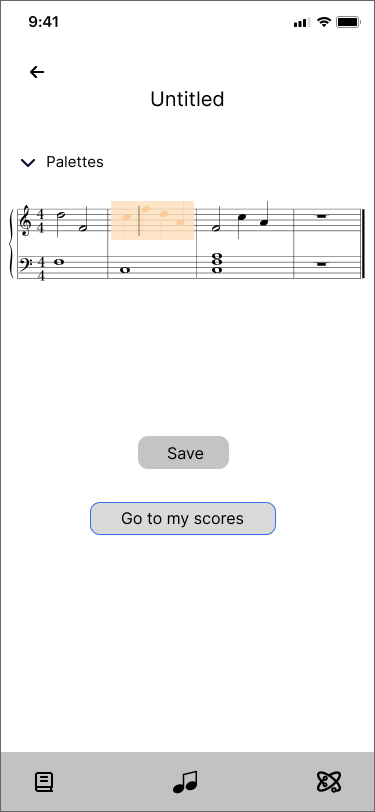


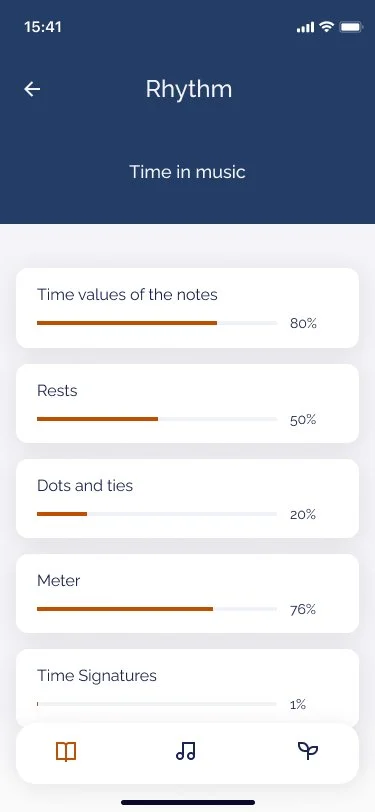
Hi-fi prototypes allowed me to refine the visual language, interactions, and overall user experience of the app.
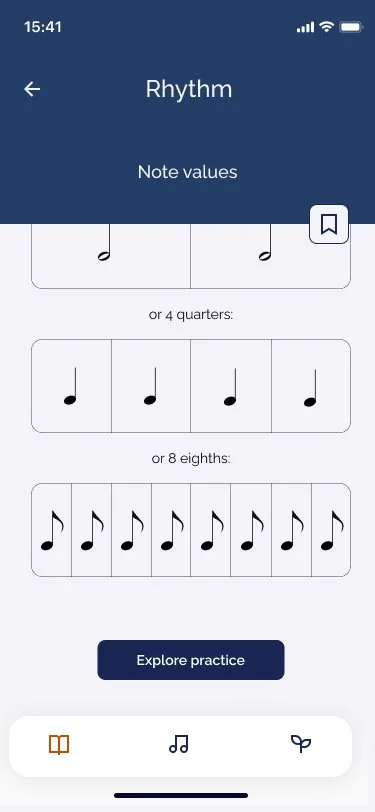
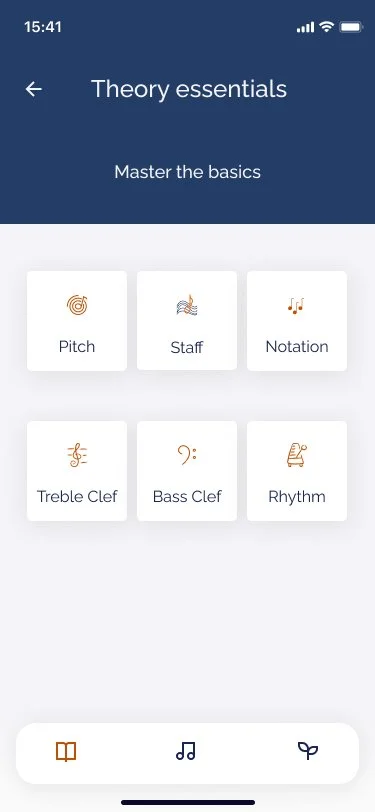
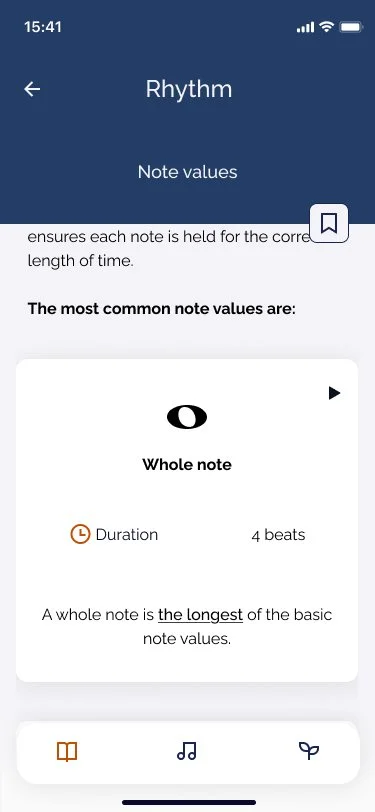
Visual modules reduce overwhelm and support gradual learning.
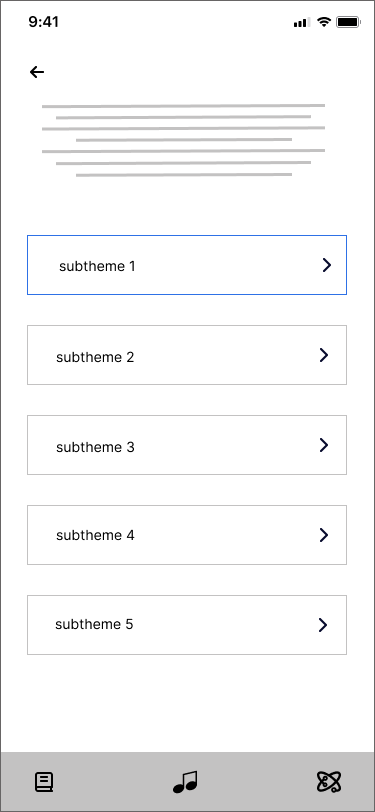
Breaks down complex concepts into focused subtopics.
Progress indicators motivate continued learning.
The “Explore Practice” button provides a clear call to action that guides users directly to the Practice section, reducing friction between understanding and doing.
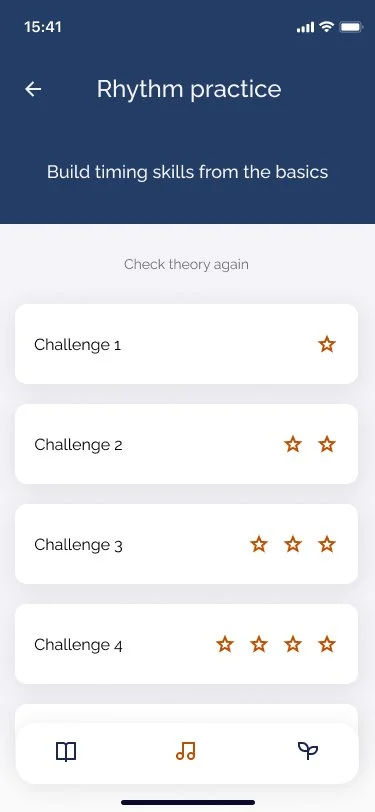
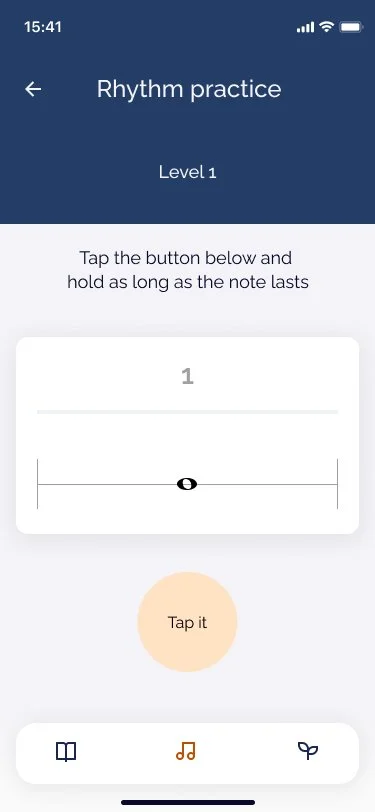
In the Practice area, users can select from multiple difficulty levels tailored to their confidence and progress.
This structure was designed to promote active learning, allowing users to test their understanding in context, build mastery step by step, and strengthen the connection between conceptual knowledge and practical skills.
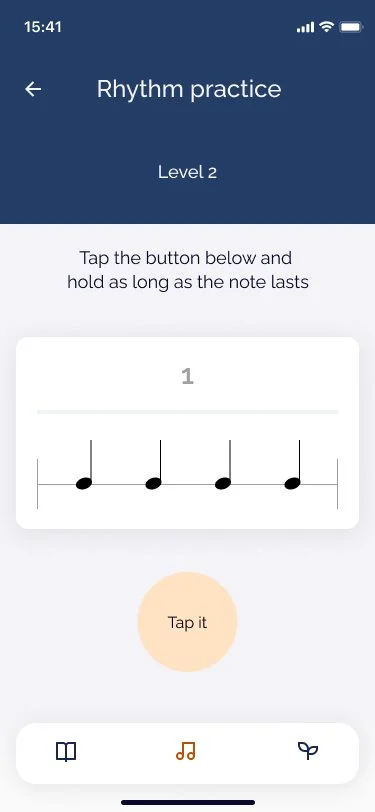
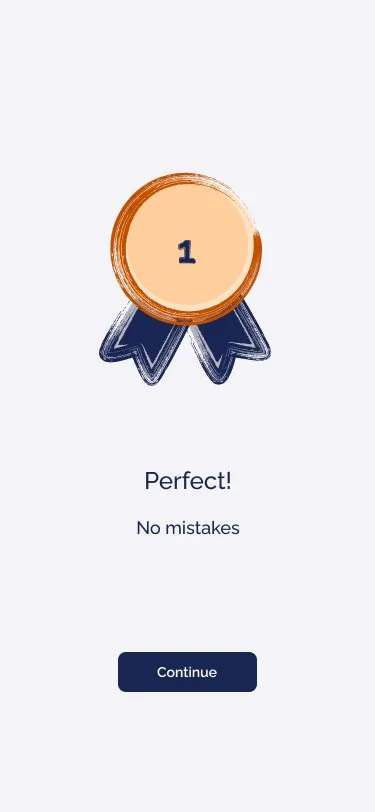
The Practice block reflects the theory topic learned, in this case Rhythm practice, allowing users to directly apply their knowledge in a focused exercise.
Before each exercise begins, a short count-in (1-2-3-4) prepares users for the starting moment, helping them anticipate the tempo and reduce timing errors.
It features a built-in metronome that provides timing guidance, while users interact by tapping and holding the button to match the time value of each note.
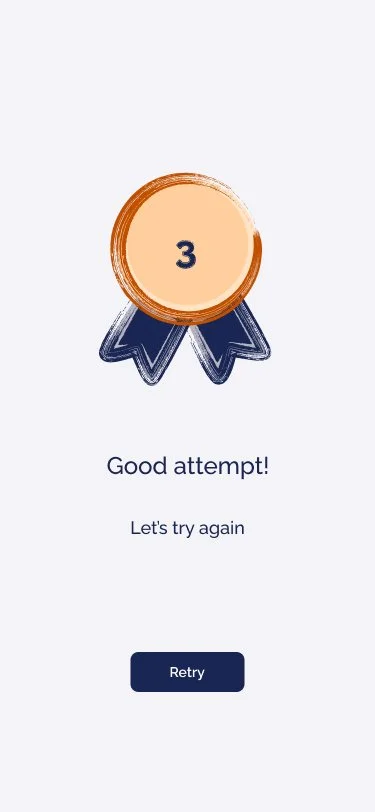
If the timing is incorrect, the “Retry” option encourages iteration, enabling users to repeat the exercise until they feel confident and achieve mastery.
Once completed successfully, users progress to Level 2, supporting a clear sense of advancement and structured skill development.
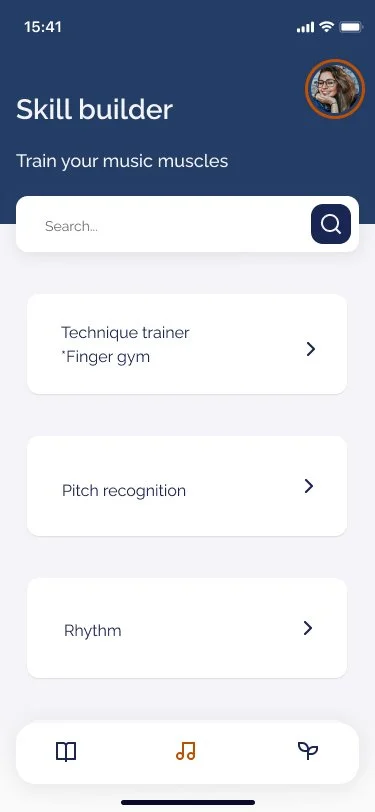
The app provides direct access to the Skill Builder screen, where users can choose specific areas to practice.
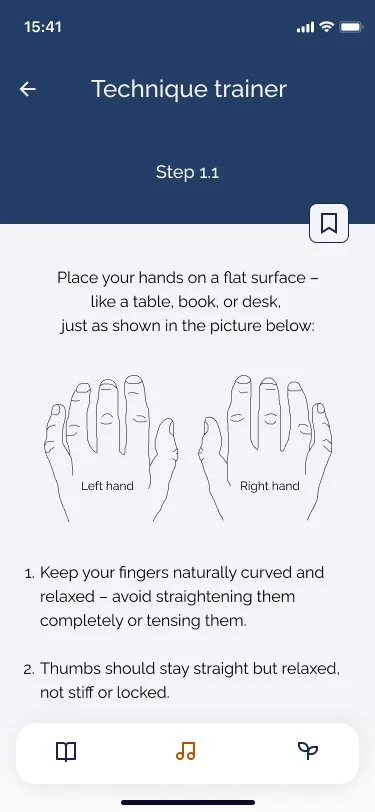
One of the key modules is “Finger Gym” - a technique trainer designed to help users build proper playing technique from the very beginning.
Drawing from my experience as a practitioner, I often observe that students struggle with correct hand and finger positioning.
This not only affects sound quality but also leads to faster fatigue and frustration, which can reduce motivation to continue learning.
The Finger Gym module addresses this challenge by guiding users through focused exercises that build strength, coordination, and healthy playing habits.
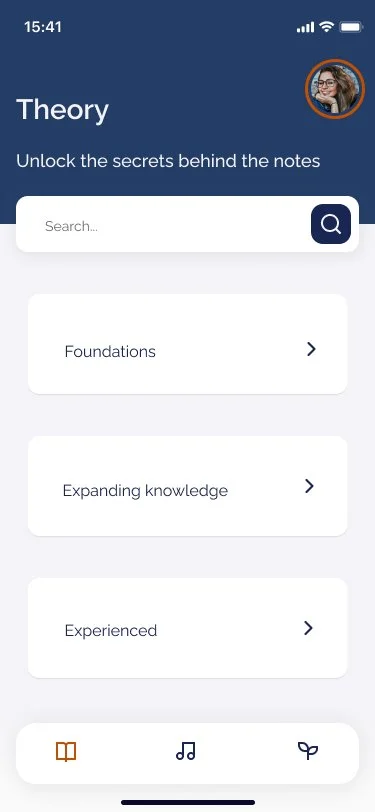
One of three primary home screens focused on Music Theory.
Supports all levels — beginner to experienced.
Guided paths help users progress at their own pace.

In this Design stage of the design process, my goal was to translate ideas into clear, functional, and user-centered interfaces.
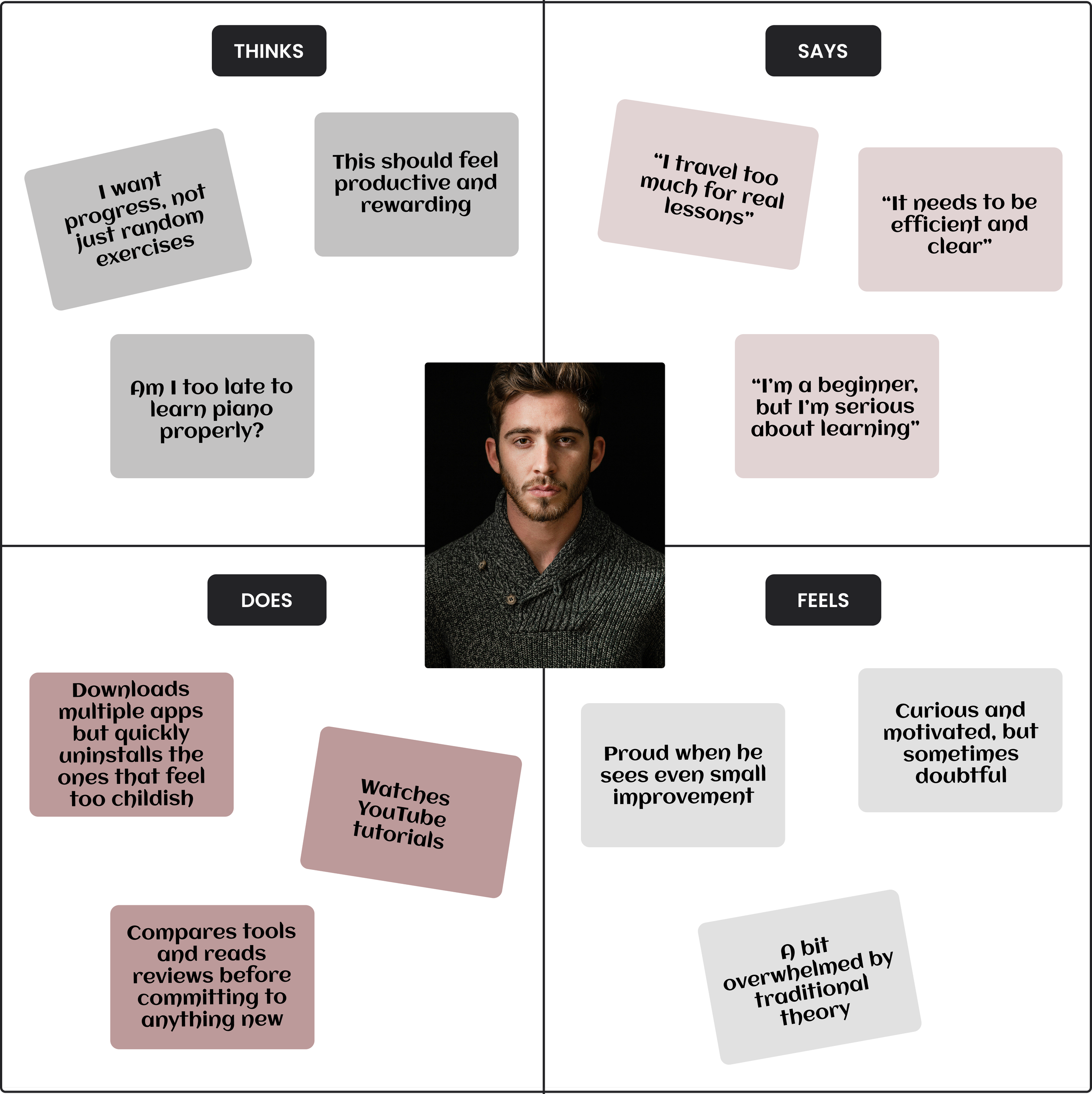
In addition to personas, I developed Empathy Map to visualize what users say, think, feel, and do in relation to music learning, surfacing deeper emotional and cognitive patterns.
User Journey Map
In this Ideate phase of the design process, my goal was to explore a wide range of ideas and potential solutions before narrowing down to the most effective ones.
I focused on creating a clear user flow that outlines how users would interact with the app, and developed an information architecture to structure content logically and intuitively.
This allowed me to lay the groundwork for a seamless learning experience and identify key features that support user goals and motivation.
User Flow

Stage 3: Imagine
generate ideas freely to explore possible solutions